 SynthLogic

Frequently asked questions
What is a text to voice generator API?
It is a cloud service that converts input text into audio files via a simple HTTP POST request. You send JSON data containing the text, voice model, and language to our endpoint, and receive the synthesized audio file in return. This standard integration allows you to add voice capabilities to your SaaS applications with minimal code changes.
How does the API handle long texts exceeding 4096 characters?
The API accepts inputs up to 4096 characters per request. For texts exceeding this limit, split the input into multiple requests and join the resulting audio files server-side. This ensures that longer documents or scripts are delivered as one coherent audio asset without manual chunking on your end.
Which voice is best for automated notifications?
For automated notifications, we recommend Atlas for neutral, clear news-style updates or Milo for friendly, conversational reminders. Felix is suitable for energetic promo alerts, while Sage provides calm, instructional tones. Select the voice that matches your specific notification context to ensure clarity and appropriate tone for your users.
Do you support SSML for markup control?
No, we do not support SSML. The API accepts plain text input and does not process markup tags for pause, emphasis, or pronunciation control. If you need precise timing or specific pronunciation, you must manage these details within your application logic before sending the text to the synthesis endpoint.
How are failed requests billed?
Failed requests are billed at zero cost. If the synthesis process fails for any reason, the charge is returned in full to your account balance. You are only charged for successful audio generations, ensuring you pay strictly for usable output delivered to your application.
Can I use the official OpenAI SDK with your endpoint?
Yes, you can use the official OpenAI SDKs. Since our request shape matches the OpenAI speech endpoint, you can integrate our API by changing the base_url to https://api.play76d.com/v1 and providing your SynthLogic API key. This allows you to leverage existing SDK code with minimal configuration adjustments.
What is the maximum text length per request?
The maximum text length per request is 4096 characters. If your input exceeds this limit, split the input into multiple requests and join the resulting audio files server-side. Spaces and punctuation count toward this character limit.
Do you offer voice cloning for brand consistency?
No, we do not offer custom voice cloning. We provide eight preset voices based on licensed recordings from LibriTTS-R and LibriVox. You can select from these existing options to match your brand tone, but you cannot upload a unique voice sample to create a custom clone for your specific use case.
Is there a limit on characters per month?
There is no monthly limit on characters. You pay $0.01 per 1,000 characters, and your balance does not expire. As long as you have sufficient funds in your account, you can generate unlimited audio files. There are no minimum spend requirements or subscription tiers to restrict your usage volume.
How do I switch my API key?
You can issue a new API key at any time from your account dashboard. When you generate a new key, the previous one stops working immediately. This ensures that if a key is compromised or no longer needed, you can instantly revoke access without waiting for a renewal cycle.
What audio formats are available for download?
We support five audio formats: mp3, wav, opus, flac, and pcm. You can specify the desired format in your request body using the response_format field. This allows you to choose the optimal balance between file size and quality based on your application's playback requirements and bandwidth constraints.
Does the API support streaming audio chunks?
No, the API does not support streaming audio chunks. It returns the complete audio file upon successful synthesis. For real-time partial audio, you would need to implement your own streaming logic, as our endpoint delivers the final synthesized file in a single response.
Are the voices based on real human recordings?
Yes, our voices are based on licensed recordings from LibriTTS-R, which uses data from LibriVox public-domain audiobook readings. Each generated file contains an inaudible watermark marking it as synthetic speech. This ensures high-quality, natural-sounding voice output while maintaining clear attribution to the source recordings.
How long is my input text retained?
Input text is used only to produce the audio and is not stored for training purposes. We retain request metadata, such as time, character count, and status, for billing and usage tracking. The generated audio is returned in the response and is not stored on our servers after delivery.
First request
curl
curl https://api.play76d.com/v1/audio/speech \
  -H "Authorization: Bearer $TTS_API_KEY" \
  -H "Content-Type: application/json" \
  -d '{"model":"tts-1","voice":"aria","input":"Hello from the API.","response_format":"mp3"}' \
  --output hello.mp3
API-First Architecture for Developers

The SynthLogic TTS API uses a standard OpenAI-compatible endpoint at https://api.play76d.com/v1. This design allows you to integrate synthetic speech into your SaaS applications using existing infrastructure and familiar developer tools without learning a proprietary protocol.
Standard OpenAI-Compatible Endpoint
Send a POST request to /v1/audio/speech with a JSON body. The endpoint accepts the same request shape as the OpenAI speech endpoint, ensuring immediate compatibility with official OpenAI SDKs by simply changing the base_url.
JSON Request Structure
Requests include the model ("tts-1" or "tts-1-hd"), input text (up to 4096 characters), voice preset, response_format, and optional speed and language parameters. Authentication is handled via a Bearer token in the header.
Rapid Integration Time
Developers can begin generating audio files within minutes of obtaining an API key. The standard structure eliminates the need for custom middleware, allowing for quick embedding of voice features into notifications and interface audio.
Voice Selection for User Interfaces

SynthLogic provides eight distinct voice presets engineered for clarity and consistency in user interfaces. The female library includes Aria, Nova, Luna, and Sage, offering options from warm narration to calm instruction. These voices maintain a professional tone suitable for automated notifications and guided workflows.
Female Narrator Profiles
Aria delivers a clear, warm narration ideal for instructional content. Nova provides a bright, upbeat tone for engaging updates. Luna offers a soft, storytelling quality, while Sage ensures calm, precise instructions for complex tasks.
Male Conversational Profiles
Felix brings energetic emphasis to promotional or alert contexts. Milo provides a friendly, conversational style for user guidance. Atlas maintains a neutral, news-like delivery for status reports, and Orion offers a deep, documentary tone for serious information.
Context-Specific Voice Matching
Select voices based on the emotional weight of the notification. Use Felix for urgent alerts, Milo for routine check-ins, or Aria for detailed explanations. Each voice is optimized for specific interface roles, ensuring consistent user experience.

Global Language Support

SynthLogic supports text-to-speech generation in 23 languages, including English, Spanish, German, French, Japanese, and Arabic. Any voice preset can deliver audio in any supported language, ensuring consistent quality across your global user base without requiring multiple voice models.
We provide reliable language handling for SaaS applications that serve international audiences. The API intelligently processes text input to produce accurate pronunciation and natural prosody, reducing the need for extensive manual configuration during integration.
23 Supported Languages
Our API supports 23 languages: Arabic, Chinese, Danish, Dutch, English, Finnish, French, German, Greek, Hebrew, Hindi, Italian, Japanese, Korean, Malay, Norwegian, Polish, Portuguese, Russian, Spanish, Swahili, Swedish, and Turkish. Other major languages such as Vietnamese, Indonesian, Thai, Ukrainian, Romanian, Czech, and Bengali are not currently supported.
Automatic Language Detection
The API automatically infers the language from the text script. For Latin-script text that is not English, the system defaults to English unless specified otherwise. This simplifies initial integration, as you do not always need to declare the language explicitly for simple use cases.
Manual Language Override
For non-English Latin-script text, you should explicitly set the language field to ensure correct pronunciation. Passing the ISO code prevents misinterpretation and ensures the synthetic speech matches the intended language context, which is critical for accurate SaaS notifications and interface audio.
Audio Formats for Delivery

The API supports five standard audio formats, allowing you to select the optimal balance between file size and fidelity for your specific delivery pipeline. Each format is generated directly from the same synthesis engine, ensuring consistent audio quality regardless of the container choice.
MP3 for Web Delivery
MP3 is the default and most efficient format for web applications and mobile clients. It provides high-quality audio with minimal bandwidth usage, making it ideal for playing interface sounds.
WAV for High Quality
WAV offers uncompressed, lossless audio suitable for professional voice interfaces where fidelity is prioritized over file size. This format is recommended for applications requiring precise audio analysis or high-clarity playback in quiet environments.
FLAC and PCM for Archives
For long-term storage or batch processing, FLAC provides lossless compression with smaller file sizes than WAV. PCM delivers raw, uncompressed audio data, which is optimal for downstream processing pipelines that require direct access to the audio waveform without decoding overhead.
Scalable Generation Performance

SynthLogic’s TTS API processes audio at approximately real-time speed, generating roughly 25 characters of text per second for long-form content. Short phrases typically require a few seconds of processing time, ensuring predictable latency for standard notification alerts and interface audio cues.
Real-Time Generation Speed
Typical generation aligns with spoken duration, allowing your backend to buffer audio efficiently. Requests are processed sequentially, meaning longer texts may experience slight delays during high-volume periods.
Queue Handling Under Load
Under heavy load, requests enter a processing queue and are handled one after another. This ensures stable performance but may increase latency compared to burst scenarios. Rate limits allow 60 requests per minute per key after initial top-up.
Character Limit Management
The API accepts inputs up to 4096 characters per request. For texts exceeding this limit, split the input into multiple requests and join the resulting audio files server-side. This approach maintains audio coherence without requiring complex client-side chunking logic.
Developer Experience

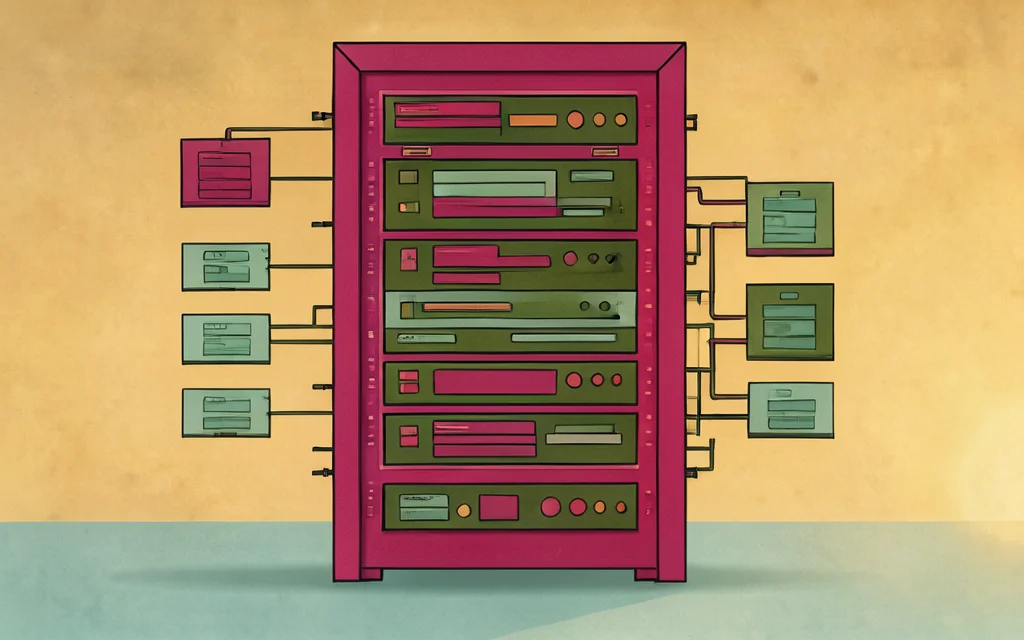
Start synthesizing speech immediately using standard HTTP requests. The API accepts JSON bodies with minimal configuration, allowing you to generate audio files within seconds of integration.
Leverage existing tools by pointing the official OpenAI SDK to our base URL. This ensures seamless compatibility with your current development stack without requiring custom client libraries.
cURL Quick Start
Use a single POST request to generate audio. Send your text, selected voice, and desired format to the speech endpoint. The response returns the audio file directly, ready for immediate playback or storage.
- POST to https://api.play76d.com/v1/audio/speech
- Include Bearer token in Authorization header
- Set model, voice, and input fields
Official SDK Compatibility
The endpoint shape matches the OpenAI speech interface exactly. Simply update your base URL to https://api.play76d.com/v1 and use standard keys. This allows direct use of official OpenAI SDKs in Python, Node.js, and other languages.
Error Code Handling
Standard HTTP status codes indicate request outcomes. Failed synthesis requests incur no charge, with credits returned automatically. Inspect response bodies for specific error details to debug integration issues quickly.
Transparent Pricing Model

SynthLogic charges $0.01 per 1,000 characters, with spaces and punctuation counted. Failed requests incur no charge, ensuring you pay only for successful synthesis. This model scales linearly with usage, eliminating hidden costs for high-volume SaaS notifications.
Per-Character Billing
Billing is strictly per character, at $10 per million characters. This predictable structure allows precise cost forecasting for automated voice interfaces without volume discounts or tiered surprises.
No Monthly Fees
There are no monthly plans, seats, or minimum spend requirements. You top up via USDT (TRC-20) with a $5 minimum, and the balance does not expire. This aligns costs directly with actual API consumption.
Trial Credit Availability
Signing in with Google provides a $0.50 trial credit, valid for 7 days. This allows immediate testing of the API without upfront commitment. Email-based accounts start without trial credit.
Technical Reliability

SynthLogic maintains continuous API uptime monitoring to ensure consistent availability for your SaaS integrations. While we do not offer a formal SLA or uptime guarantee, our infrastructure is designed for steady operation under standard load conditions.
Request metadata, including timestamps, character counts, and status codes, is retained solely for billing accuracy. Input text is processed exclusively to generate the audio response and is not used for model training.
API Uptime Monitoring
We monitor system health to detect and resolve service interruptions promptly. Requests are processed sequentially, meaning under heavy load, synthesis may enter a queue before generation begins.
Data Privacy Standards
Input text is used only to produce the audio file and is not stored or used for training. Generated audio is returned in the response and not stored on our servers long-term. Only request metadata is kept for billing purposes.
Synthetic Watermarking
Every generated audio file carries an inaudible watermark that marks it as synthetic speech. This provides a clear distinction between AI-generated content and human recordings without affecting audio quality.

Integration Use Cases

SynthLogic enables seamless audio integration for critical user touchpoints, ensuring consistent communication across your application ecosystem. The API handles high-volume character processing with predictable latency, allowing your systems to trigger audio responses without disrupting core workflows.
SaaS Notification Alerts
Replace standard push notifications with voice alerts for urgent updates. The API processes text inputs up to 4,096 characters, allowing you to send concise, spoken instructions directly to user devices via generated MP3 or WAV files.
- Instant audio delivery for critical system alerts
- Supports 23 languages for global user bases
- Consistent tone across all notification channels
Voice Interface Prototypes
Accelerate development of voice-driven user interfaces by integrating synthetic speech directly into your frontend. Select from eight distinct voice presets to match your brand’s personality, whether you need the calm instruction of Sage or the energetic delivery of Felix.
- Eight distinct voice profiles for UI testing
- Standard OpenAI-compatible SDK integration
- Rapid iteration without voice actor scheduling
Automated Status Updates
Generate spoken summaries for long-running background jobs or system health reports. The API handles character splitting automatically, ensuring that lengthy status messages are delivered as coherent audio files without manual chunking logic in your code.
- Automatic text splitting for long messages
- Real-time generation speed approximates live speech
- No storage overhead for generated audio
Listen to the 8 voices
Each sample below was generated by this API from the same sentence. Transform your startup's user experience with seamless notifications and intuitive interfaces that keep teams connected and informed.


23 languages
Any voice speaks any of these languages.